
Sparkle TV is a strong generalist: it speaks almost every source protocol, records, handles multiview and charges very little. That does not make it the right player for everyone. Some people want a simpler interface, some want a free option, and some want a media server that does more than play live TV.
Here are seven alternatives, what each is genuinely better at, and where it falls short. Everything below assumes legal sources: no player on this list supplies channels.
How this was judged
Players were compared on five things: supported source types, EPG quality, DVR, interface and remote handling, and total cost of ownership. No single player wins all five.
1. TiviMate
Best for: Xtream Codes users who want the most polished TV guide.
TiviMate is the closest direct competitor. It is built around a fast, dense programme guide with excellent scrolling, a clean channel list and a familiar remote-driven interface. If your provider supplies Xtream Codes or an M3U with a good XMLTV guide, it feels faster than almost anything else.
- Strengths: excellent EPG, quick channel switching, strong favourites and recording features on the premium tier.
- Weaknesses: narrower source support than Sparkle, premium features behind a subscription, less interesting for personal media servers.
- Choose it if: live TV and the guide are all you care about, and your source is standard Xtream or M3U.
2. IPTV Smarters Pro
Best for: beginners who want something simple and free.
Smarters is the player most providers recommend because it is easy to configure and looks friendly. The layout is app-like rather than TV-native, with large tiles for live TV, movies and series.
- Strengths: free, quick to set up, handles Xtream, M3U and a few other formats, decent VOD browsing.
- Weaknesses: less sophisticated guide, fewer advanced playback options, interface can feel heavy on low-end sticks.
- Choose it if: you want a working setup in five minutes and do not need DVR or multiview.
3. OTT Navigator
Best for: power users who like to configure everything.
OTT Navigator exposes settings most players hide: stream priorities, buffering behaviour, archive handling, multi-screen layouts and detailed EPG controls. The free version is capable; the premium version unlocks the rest.
- Strengths: extremely configurable, strong archive and catch-up handling, good multi-screen support.
- Weaknesses: the settings tree is intimidating, the interface is functional rather than beautiful, documentation is thin.
- Choose it if: you enjoy tuning and want behaviour that matches your exact provider.
4. Kodi with the PVR IPTV Simple Client
Best for: people who already live in Kodi.
Kodi is a media centre, and the PVR IPTV Simple Client add-on turns it into an IPTV player with a guide. If Kodi already runs your local library, adding live TV keeps everything in one interface.
- Strengths: free and open source, endless skins and add-ons, excellent local media support.
- Weaknesses: setup is manual, guide mapping is fiddly, and the whole stack is heavier than a dedicated player.
- Choose it if: you want one app for local media and live TV and do not mind maintenance.
5. Plex
Best for: households already running a Plex server.
Plex added live TV and DVR through HDHomeRun tuners and its own guide. For over-the-air channels and a personal library, it is a polished, family-friendly option.
- Strengths: superb library management, excellent apps on every platform, reliable DVR scheduling.
- Weaknesses: not an IPTV player in the Xtream sense, requires a server, and some features need a Plex Pass.
- Choose it if: your live TV comes from an antenna and your movies already live on a Plex server.
6. Jellyfin
Best for: self-hosters who want no account and no fees.
Jellyfin is the open-source answer to Plex. Its live TV stack works with HDHomeRun and M3U sources, and the whole thing runs on your own hardware.
- Strengths: free, private, no external account, strong community plugins.
- Weaknesses: you are the administrator, client quality varies by platform, setup takes an evening.
- Choose it if: you already self-host and want live TV inside your own stack.
7. HDHomeRun app
Best for: antenna users who want zero configuration.
If you own an HDHomeRun tuner, the official app is the shortest path from antenna to screen, with a clean guide and DVR support through the tuner’s own storage engine.
- Strengths: trivially simple, no credentials, excellent picture quality from broadcast.
- Weaknesses: only works with HDHomeRun hardware, no IPTV provider support.
- Choose it if: your live TV is over-the-air and you want the vendor’s own client.
Side-by-side
| Player | Xtream / M3U | Personal servers | DVR | Cost model | Best at |
|---|---|---|---|---|---|
| Sparkle TV | Yes | Plex, Jellyfin, HDHomeRun, Tvheadend, Enigma2, Stalker | Yes (Plus) | Free tier + low-cost Plus | Breadth of sources |
| TiviMate | Yes | Limited | Yes (premium) | Free tier + subscription | Guide and live TV polish |
| IPTV Smarters | Yes | Limited | Limited | Free | Simplicity |
| OTT Navigator | Yes | Limited | Yes (premium) | Free + premium | Configuration depth |
| Kodi + PVR | Yes | Many | Plugin-dependent | Free | Flexibility |
| Plex | Limited | Plex only | Yes | Free + Plex Pass | Library + OTA |
| Jellyfin | Yes (M3U) | Jellyfin only | Yes | Free | Self-hosting |
| HDHomeRun | No | HDHomeRun only | Yes | Hardware | Antenna simplicity |
Where Sparkle TV still wins
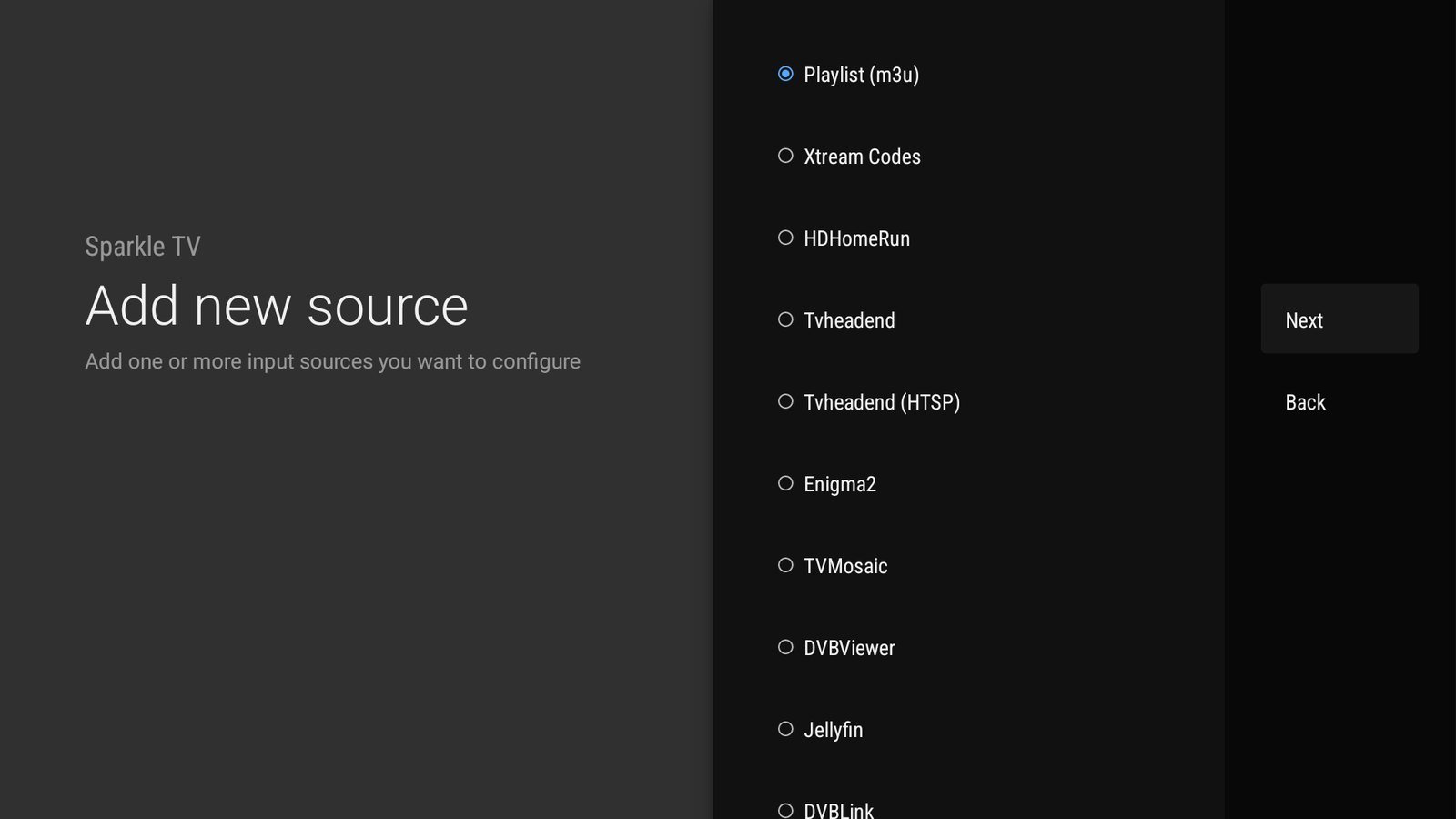
- Protocol coverage. Plex, Jellyfin, HDHomeRun gen 4+, Tvheadend, Enigma2, Stalker, DVBViewer, DVBLink and TVMosaic in one app is unusual.
- Price shape. A one-time $20.99 option and a $7.99 yearly plan undercut most premium competitors.
- Multiview without drama. Splitting the screen is a first-class feature, not an experiment.
- Mixed households. Running an IPTV provider and a personal media server side by side is the app’s natural mode.
If none of those matter to you, an alternative may genuinely serve you better. That is a normal outcome, not a failure of the comparison.
How to switch without losing an evening
- Install the alternative alongside Sparkle TV. Both can coexist.
- Add the same source and compare the guide on your three most-watched channels.
- Test channel-change speed, which is where players differ most in daily use.
- Check DVR and multiview on your actual hardware, not on screenshots.
- Keep Sparkle TV installed for a week. Most people who switch come back for one specific feature.
The honest verdict
For a single-provider household that mostly watches live TV, TiviMate and Sparkle TV are the two serious choices, and the tie-breaker is whether you value the guide or the source coverage.
For anyone juggling a provider plus Plex, Jellyfin or an antenna, Sparkle TV’s source list is hard to match, and the price makes the decision easy.
And if you only need a free player for one playlist, IPTV Smarters will do the job without a second thought.
Frequently asked questions
Is there a completely free alternative to Sparkle TV?
Yes: IPTV Smarters, Kodi with the PVR add-on, and Jellyfin are free. Sparkle TV also has a free tier; Plus is what costs money.
Which alternative has the best EPG?
TiviMate is widely considered the strongest guide experience, especially with Xtream sources.
Can I use two players with the same provider?
Usually yes, but watch the connection limit on your subscription. Two players on two devices can count as two simultaneous connections.
Do any of these players include channels?
No. Every player on this list is a client. Channels and their legality come from your provider or your own hardware.
Compare with the real thing
Install Sparkle TV, load your source and judge the guide and multiview on your own hardware.