
An M3U file is the oldest and most portable way to describe a channel list. It is a plain text file listing stream URLs, and every IPTV player understands it. What it does not contain is a programme guide: for that you pair it with an XMLTV file, which maps each channel to a schedule.
Sparkle TV handles both, and keeps them as one source so the guide follows the channels. This guide covers the setup, the URL format that actually works, and the maintenance that M3U users underestimate.
What you need
An M3U or M3U8 playlist URL from your provider or server, plus an XMLTV URL if you want guide data. Sparkle TV can also refresh the playlist later without you re-entering anything.
When to use M3U instead of Xtream Codes
Use M3U when:
- your provider only distributes playlists,
- you run your own streaming server that exposes an M3U endpoint,
- you want a fixed list that does not change under you,
- or you are testing a provider before committing to a subscription.
Use Xtream Codes instead when the provider supports it, because the API bundles channels, VOD and guide data and needs no separate XMLTV step.
Read the URL before you paste it
M3U links come in three shapes, and only one of them belongs in the playlist field.
| Shape | Example | Where it goes |
|---|---|---|
| Playlist URL | http://host:port/get.php?username=u&password=p&type=m3u_plus | Playlist field |
| Direct file | http://host/lists/abc.m3u8 | Playlist field |
| XMLTV guide | http://host:port/xmltv.php?username=u&password=p | EPG field |
| Player API | http://host:port/player_api.php?... | Not for M3U; use Xtream instead |
If your provider sent one long link containing type=m3u_plus, it is a playlist URL and the XMLTV link is usually the same host with xmltv.php instead of get.php. If they sent only the API link, switch the source type to Xtream and enter the host, port, username and password separately.
Step-by-step setup
- Open Sparkle TV and go to the source settings.
- Choose Add source and pick Playlist or M3U as the type.
- Give the source a name. “Main provider” is fine.
- Paste the playlist URL exactly, including the query string.
- If the app asks for a guide, paste the XMLTV URL.
- Save and let the app import.
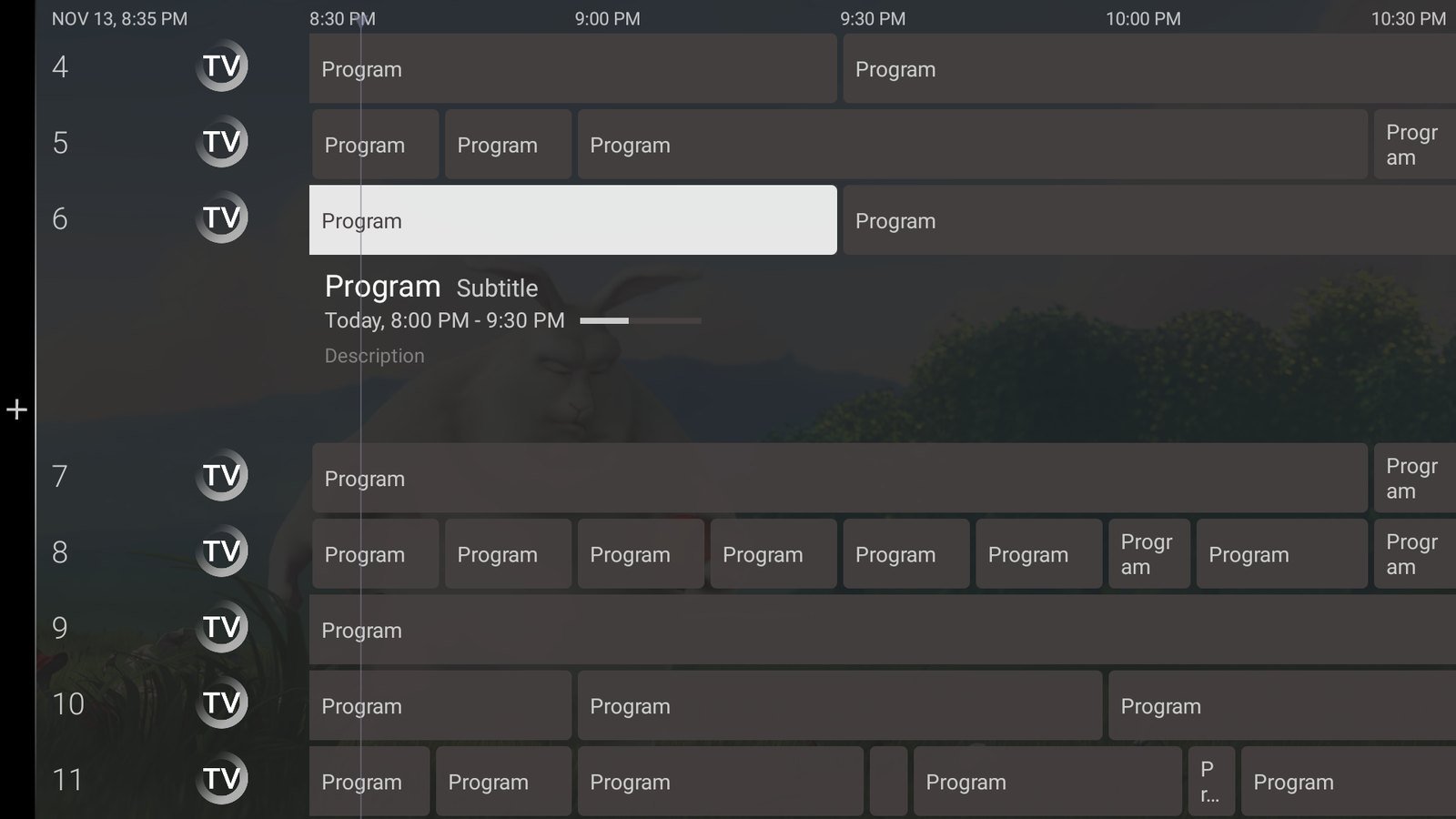
- Open the guide and confirm that channel names have programmes attached.
The first import on a large playlist is the slowest thing the app will ever do. Ten thousand channels can take several minutes on a TV stick, and the interface may stutter while it writes the database. Let it finish.
Attaching the EPG properly
The guide is a separate file with its own channel identifiers. Three things must line up:
- The XMLTV URL must be reachable. Open it in a browser: you should see XML, not an error page or a login form.
- Channel IDs must match. XMLTV uses
<channel id="...">entries and the playlist tags each stream withtvg-id. When those strings differ, the channel plays but the guide stays empty. - The guide must cover your region and channels. A guide for the wrong country produces a technically valid file with nothing useful inside.
When IDs do not match and the provider offers no alternative guide, you have two options: use a different XMLTV source that covers the same channels, or accept a partial guide. Most providers do publish a matching file, so ask before you spend an evening remapping.
What M3U does and does not give you
| Capability | Available with M3U | Notes |
|---|---|---|
| Live channels | Yes | The core of the format |
| Channel logos | Usually | Only if the playlist includes tvg-logo |
| EPG | Only with XMLTV | Needs the matching guide file |
| VOD and series | Sometimes | Depends on how the provider built the list |
| Catch-up | Sometimes | Requires the provider to expose archive URLs |
| Auto refresh | Yes | The app re-reads the playlist on refresh |
If catch-up or a VOD library matters to you, confirm with the provider that the M3U carries the archive tags. A playlist can look complete and still have no catch-up at all.
Keeping a playlist source healthy
- Refresh after provider changes. New channels do not appear until the playlist is re-read.
- Keep a copy of the URL. Providers rotate playlist links; when the old one returns 403, you need the new one from their portal.
- Do not edit the URL by hand. One missing parameter turns a working playlist into a 401.
- Watch playlist size. Very large lists slow down every launch. Hiding unused categories keeps the app responsive, and Plus adds the category visibility controls.
- Test the guide after every refresh. Importing a new playlist can reset channel-to-guide mappings if the IDs changed.
Common M3U errors
| Symptom | Cause | Fix |
|---|---|---|
| 403 Forbidden | Expired link or wrong user agent restrictions | Request a fresh playlist URL |
| 404 Not Found | URL changed or path typo | Copy the link again from the provider portal |
| Playlist loads, zero channels | File is an HTML error page, not an M3U | Open the URL in a browser and inspect it |
| Channels load, guide empty | Missing or mismatched XMLTV | Check the guide URL and tvg-id values |
| Duplicate channels everywhere | Provider playlist includes multiple bouquets | Hide duplicate categories, or ask for a cleaner list |
| Playlist stops working after reboot | App data cleared by the device | Check storage permissions and free space |
The “zero channels” row deserves emphasis. Many providers return an HTML page with a login error when a link expires, and the player sees a file it cannot parse. Opening the URL in any browser takes ten seconds and tells you immediately which side is broken.
Playlist versus Xtream, one more time
If your provider offers both and you are unsure: choose Xtream for everyday use and keep the M3U link as a backup. The API path is more resilient to provider maintenance, includes the guide automatically, and survives playlist URL rotation better. M3U remains the right tool for static lists and self-hosted servers.
Legal reminder
A playlist is just a list of stream addresses. Whether you may watch those streams depends on your provider’s rights. Sparkle TV supplies no channels, and the site’s disclaimer explains the boundary in plain language.
Frequently asked questions
Can Sparkle TV load an M3U file from local storage?
The player is built around network sources, which is what providers and media servers expose. Keep the playlist on a reachable server rather than a USB drive.
Do I need both an M3U URL and an XMLTV URL?
For a guide, yes. Without XMLTV the channels still play, but the programme guide stays empty.
Why does my playlist show 12,000 channels but only 300 play?
The playlist lists streams your provider may no longer serve. Dead entries are normal on large lists; hide the categories you do not use and report persistent failures to the provider.
Can I mix an M3U source and an Xtream source?
Yes, with Sparkle TV Plus, which allows several sources at once. The free tier runs a single source.
Prefer the API route?
If your provider supports Xtream Codes, setup is shorter and the guide arrives automatically.